


Spiro 2.34: Making Everyday Tasks Easier
As we continue developing Spiro, we focus on making everyday work easier and keeping settings flexible to meet business needs. These are the priorities behind release 2.34. All updates stem from client requests and experience gained across projects, addressing the tasks teams handle every day. Read on for a closer look at the new features.
Easier table management
Spiro operators spend much of their working time in tables. In release 2.34, that work has become simpler thanks to presets.
Depending on the task, the same data often needs to be viewed in different ways. For example, analyzing marketing activity means looking at users by traffic source, while accounting needs other metrics: number of orders, average order value, total amount, and so on. Previously, operators had to add and remove columns manually for each of these tasks.
Now a table view can be saved as a preset, a ready-made set of columns. You only need to set up the sets you need once, and from then on operators can switch between them quickly depending on the task. A superadmin can also make a preset available to all operators, so the whole team can use it.
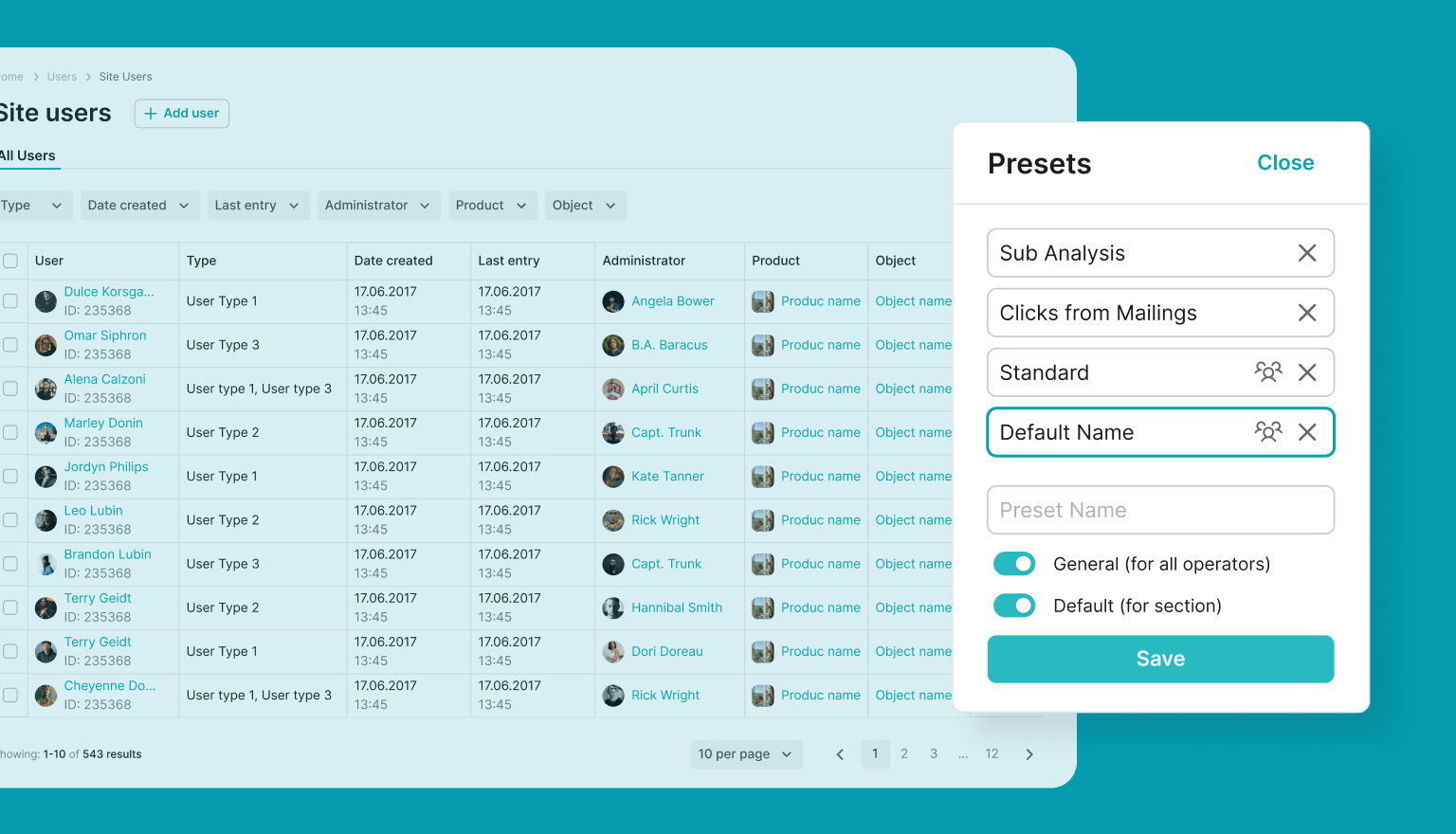
Result: Spiro adapts flexibly to different roles and business processes. The new feature lets users view the same data in a format that suits a specific task. This makes working with tables faster and more convenient, as users can simply select a preset instead of manually adjusting columns.
Multilingual content management
When a project’s content is maintained in multiple languages, operators need to know which language they are currently editing. In Spiro 2.34, the content language and interface language can be switched from the same menu. The panel is displayed in the language the operator uses to work with Spiro, while the selected content language applies when editing content values.
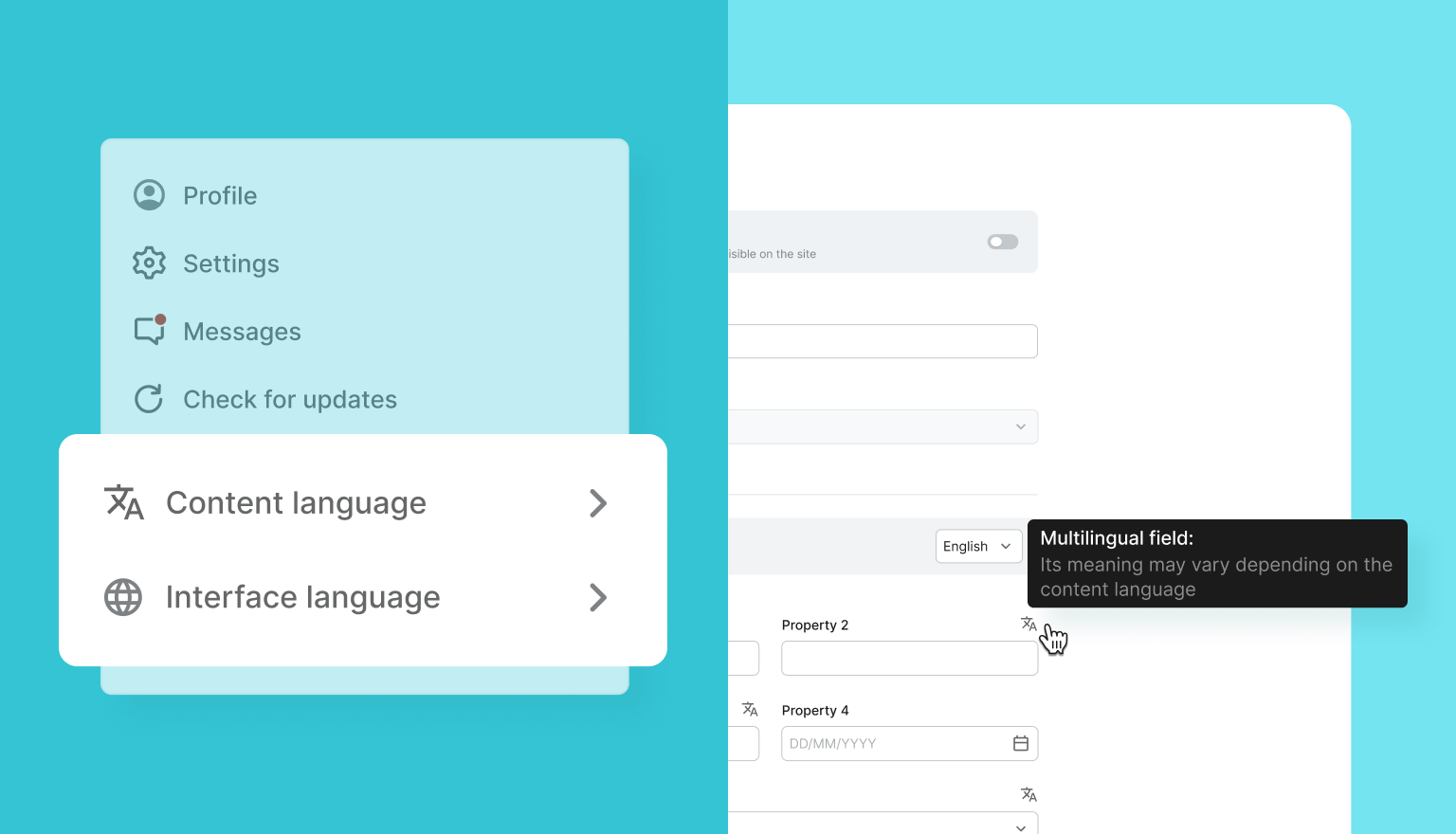
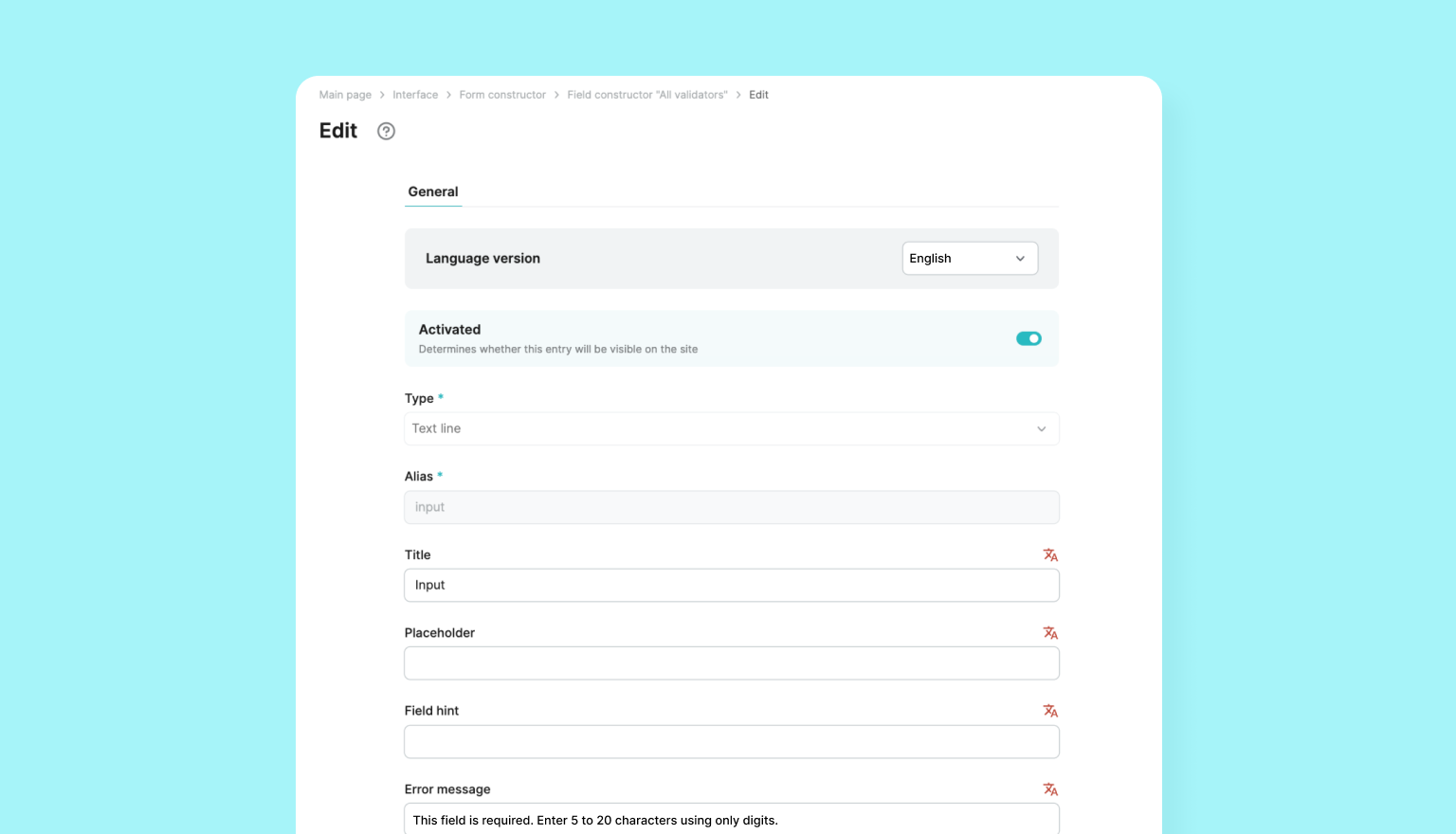
Multilingual fields now have an icon indicating that their values may differ depending on the selected language. If the content language and interface language do not match, the system highlights this in red and displays a warning showing which language the value is being edited in.
Result: Working with multilingual content in Spiro is now more convenient. Operators can clearly see which language version they are editing, helping prevent data entry errors.
Flexible entity configuration
Spiro properties can now be configured with default values that are automatically applied to new entities in the system. These can be values from reference directories or numerical values, such as the number of bonus points in an account upon registration or the initial status of a user or product.
Result: Business rules for new records are applied automatically, eliminating the need for operators to enter initial values manually.
Updated form builder
We’ve completely redesigned the custom form builder in the operator panel, making it more flexible, dynamic, and easier to use. This update allows forms to be quickly configured to match specific workflows and project requirements.
The new release includes a range of improvements aimed at enhancing performance and simplifying everyday work in the system. Want to find out how the Spiro 2.34 updates can benefit your business? Submit a request, and our technical expert will provide a personalized walkthrough of the new features.
