Spiro 2.32 — Release Overview

Spiro 2.32 introduces new functionality for managing business processes, one of the most significant changes to the platform in recent time. You can now build a process on your own: define stages, set up transition conditions between them, and control data access at every step. Read the full overview below for all the details.
Flexible process management
In this new Spiro release, we've added new functionality for managing business processes. This is a substantial change that will be especially useful for companies with complex management hierarchies, where different people are responsible for different stages of working with an order or a client.
You can now clearly define who sees or edits data, and at which stage. For example, a sales manager can oversee the entire process from start to finish, while warehouse staff or couriers only see the fields relevant to their part of the work at their respective stages. This kind of access control reduces the risk of errors and clearly separates responsibility across teams.
Release 2.32 lets you update your business logic without stopping your team's ongoing work. Business needs change over time, so it's important to be able to switch to new rules quickly. Processes in Spiro are easy and quick to set up, and switching to an updated version is as simple as deactivating the old one.
Process building mechanics
You can now build a process, a sequence of statuses with rules governing the transitions between them, based on the reference properties of an interaction.
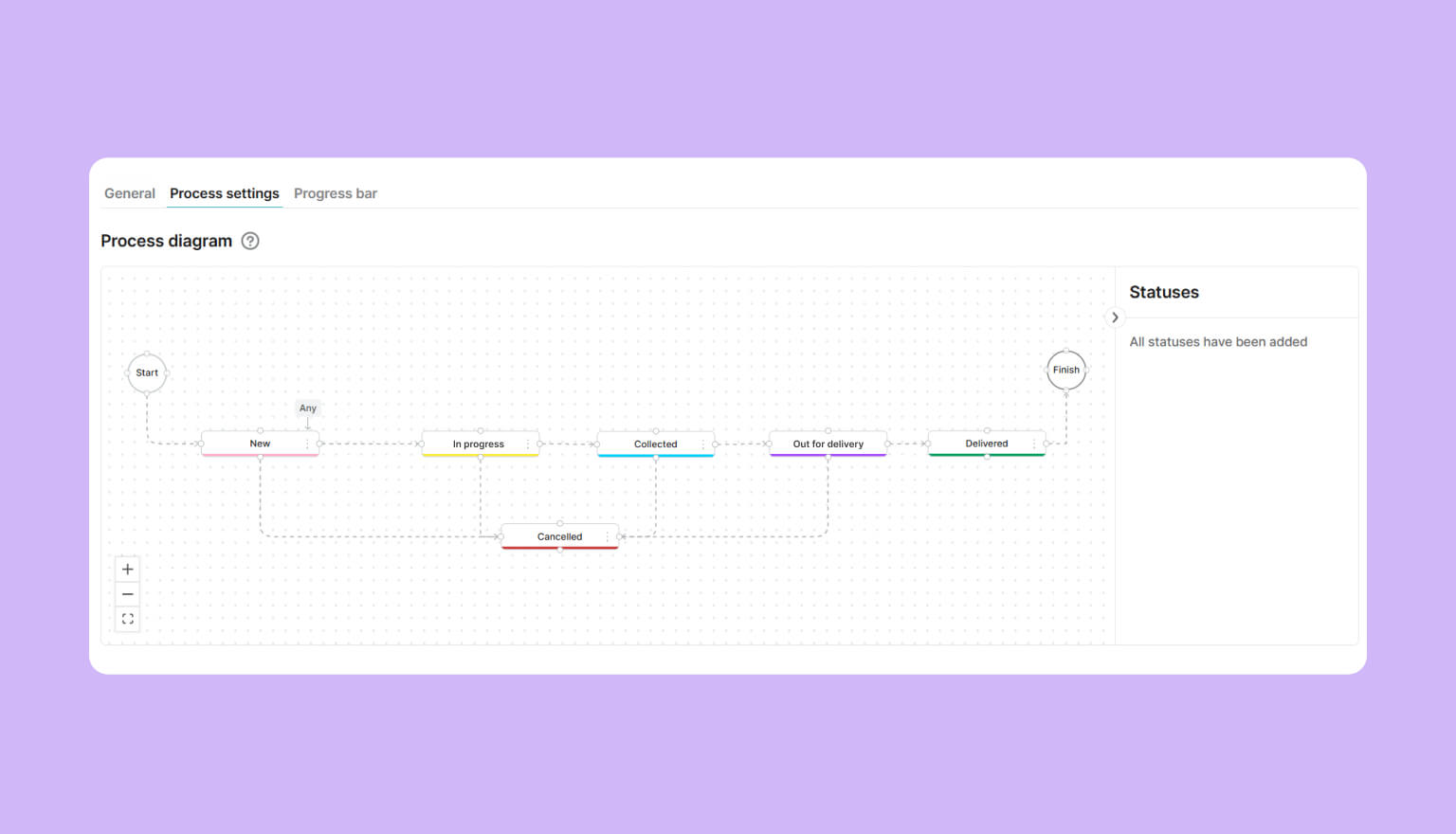
Transition conditions between statuses: for each stage of a process, you can define which roles are allowed to move an interaction into that specific stage, and which fields need to be filled in for that to happen. If required fields aren't filled in, the interaction can't be saved in the new status. This acts as a safeguard that prevents the process from entering an incorrect state. Here are a few examples:
-
an order can't be moved to "Handed to Courier" status unless the customer's address and phone number are provided;
-
a return request can't be closed unless a reason is specified;
-
an invoice can't be moved to "Paid" status unless a payment receipt number is added;
-
a loan application can't be moved to "Approved" status unless the amount and loan term are filled in.
This way, every interaction only moves to the next stage once it has the full set of data required for that stage.
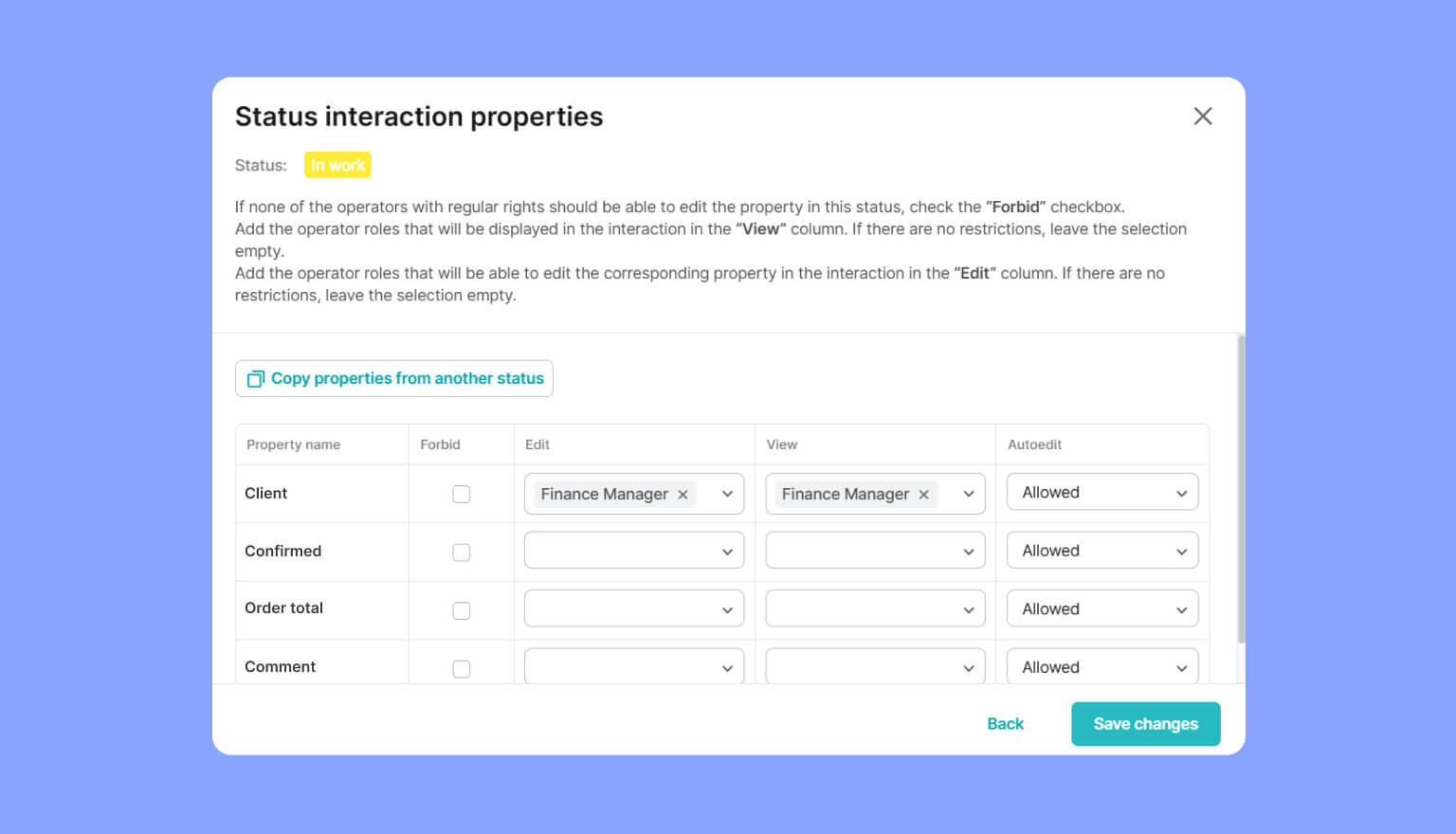
Field access control: for each status, you can specify which roles are allowed to view or edit specific interaction properties. A field can be not only made read only, but also fully hidden from certain roles at a given stage, while remaining visible at others. This makes it possible to clearly separate access zones when a process involves several levels of responsibility.
Why does this matter? It lets a company strengthen the security of sensitive data, since access to it is limited to specific roles. For example, a customer's personal data can be made visible only during the verification stage, then hidden from all roles except the compliance manager at later stages. Or a deal's margin can be shown to the head of sales while staying hidden from the manager handling the client.
Process visualization
Progress bar: a process can be displayed directly on the interaction card, so the operator can immediately see which stage the interaction is at and what stages lie ahead.
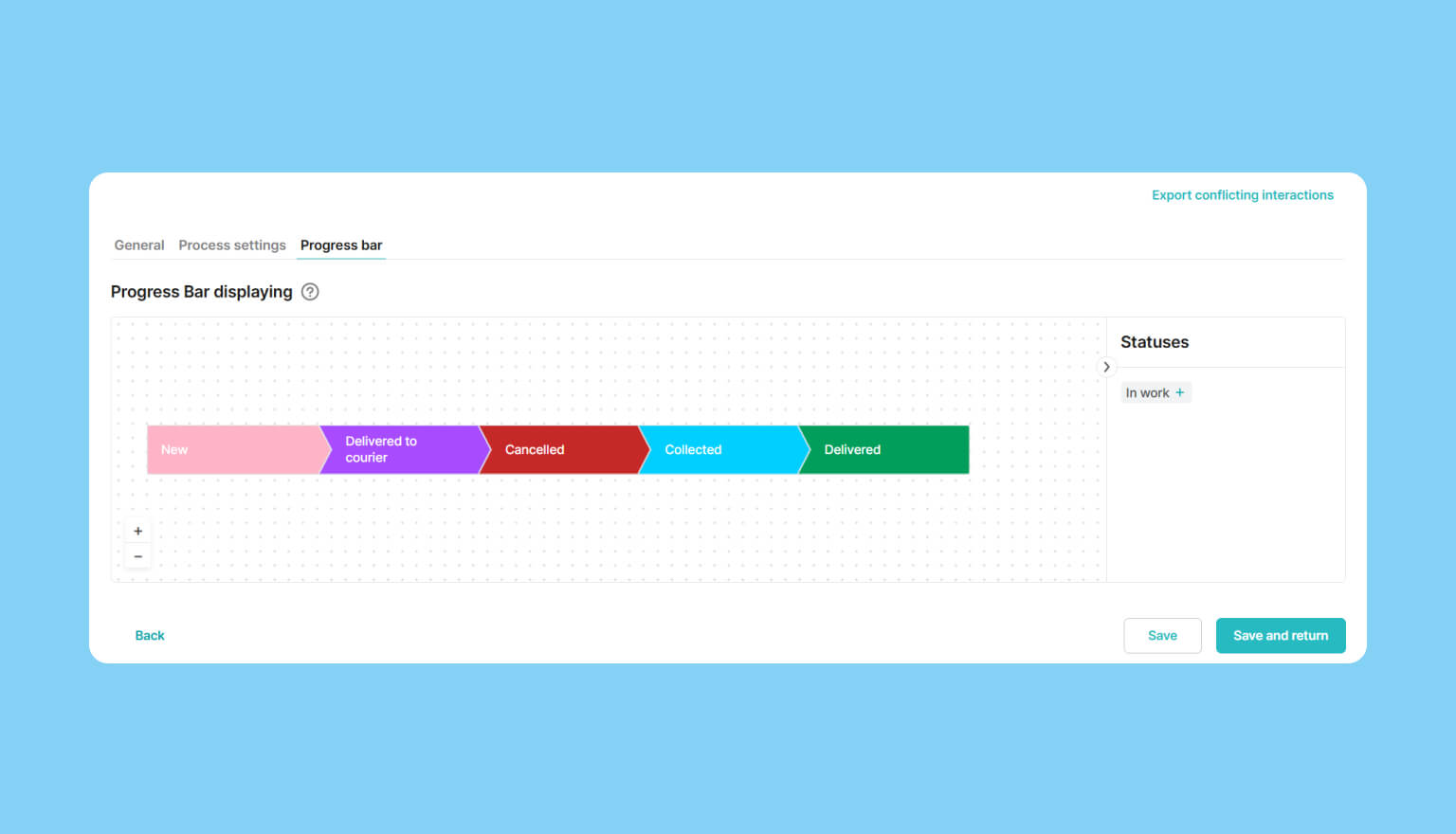
Detailed flow view: with the appropriate permissions, an operator can expand a detailed view of the process right from the interaction card. This is especially useful for non-linear processes, where a single status can transition into several possible next steps.
New Kanban boards
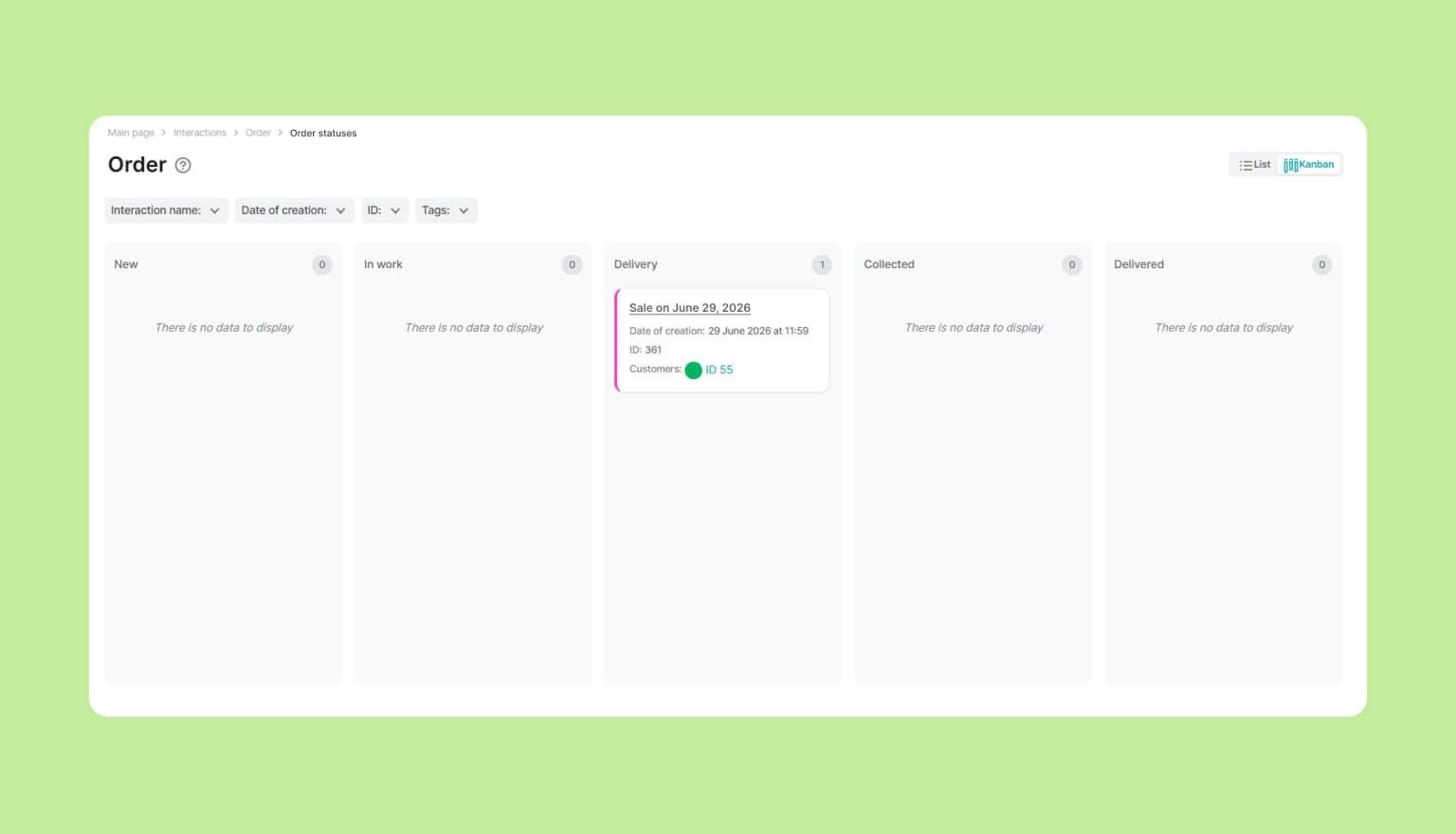
We've fully updated the Kanban boards: they now operate based on your already configured processes and take all rules and restrictions into account. As before, a board can be tailored to a specific team by disabling statuses operators don't need, keeping only the ones relevant to their day-to-day work.
Process versioning
One active process: only one process can be active at a time for a given property within a given interaction type. This doesn't prevent you from replacing the current process with a new one: you can create a draft, configure it, then deactivate the old process and activate the new one.
Validation on activation: the system checks whether all current interactions meet the conditions of the new process. If conflicts arise, you can revert to the previous process, find and fix the problematic interactions through a conflicting records export, and then reactivate the new process without any loss of data integrity. This safeguard ensures that switching to updated business logic doesn't disrupt the company's operations.
Social OAuth: smarter authentication
Release 2.32 updates the mechanics behind registration and authentication through social networks: LinkedIn, Facebook, Google, and Apple ID.
Email-based account merging: previously, signing in through a new provider could create a separate account, even if it was actually the same person. Now, if a user with that email already exists in the database, the system logs them into that account instead of creating a new one. No matter which social network is used to sign in, it always leads to the same account, with all its history and data intact.
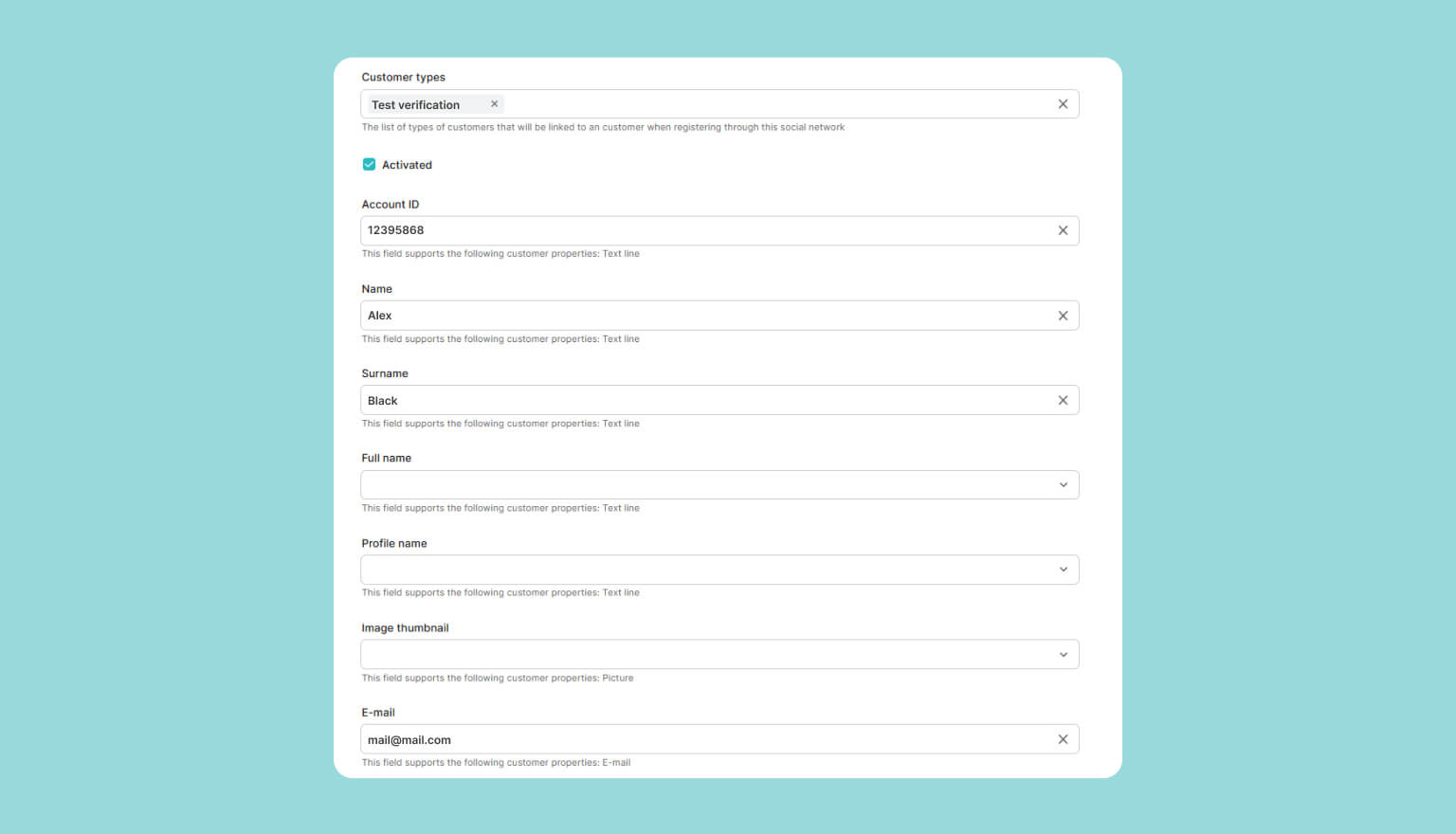
Automatic profile verification: you can now specify, in the authorization group settings, which field is used to track verification status. If a user's email has already been confirmed by the oAuth provider, this field is set automatically. The result is a shorter, more transparent onboarding process.
Widget data display
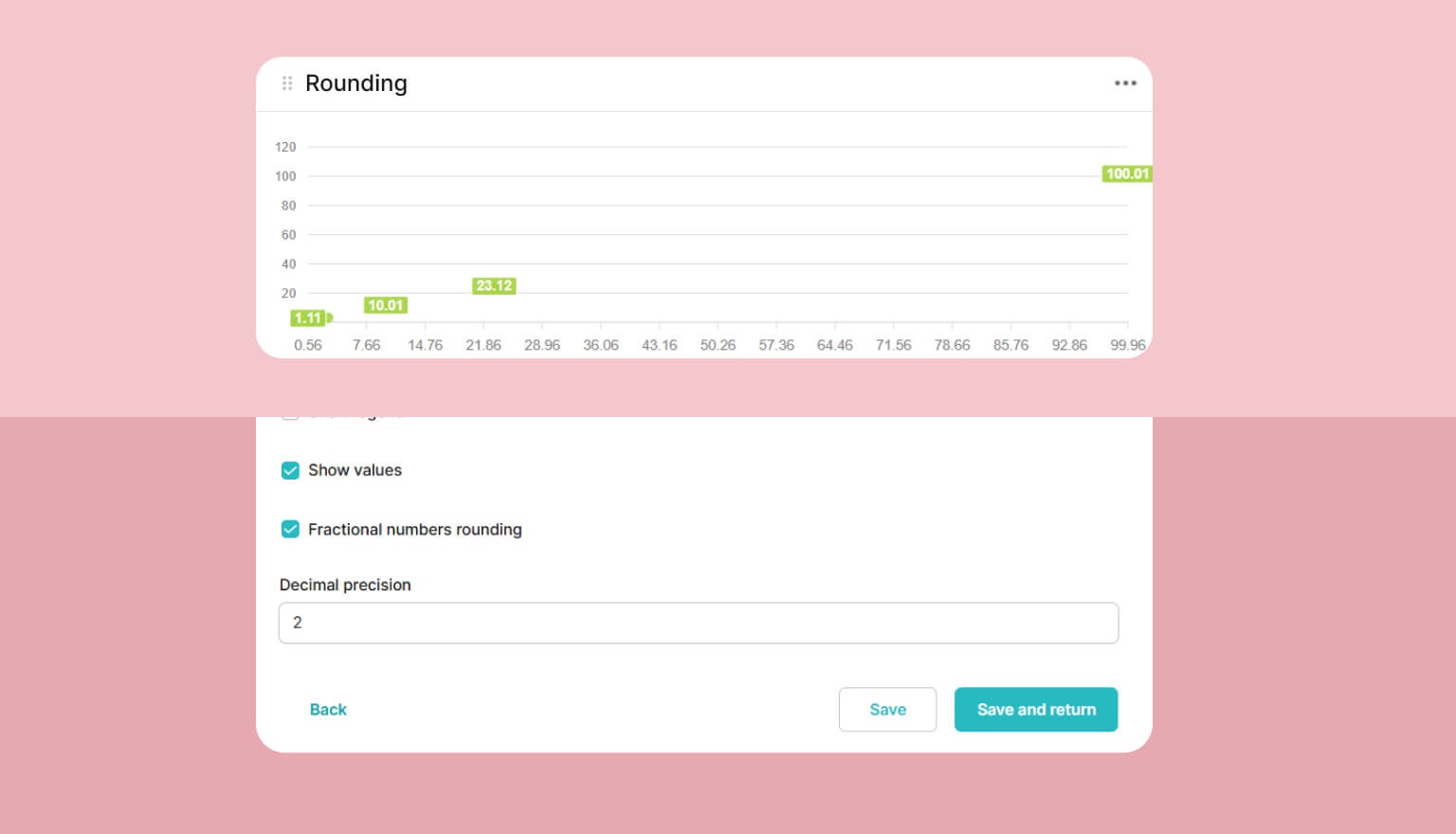
More flexible settings: you can now specify, for each widget, how many decimal places to display, removing cumbersome values like "26.63333333" from your charts. These details make dashboards cleaner and easier to work with.
Optimization: this release also includes a range of changes that improve widget stability across different datasets and sizes.
With release 2.32, companies gain full control over their business process logic, from building out stages to managing access at every one of them. If you'd like to find out how Spiro's new functionality can benefit your business, leave a request through the form. Our technical expert will walk you through the new features in a personalized overview.