


en
- EN
- UA


Spiro 2.30 — Release Overview
Spiro 2.30 focuses on expanding automation capabilities and improving the tools used for everyday work. The system introduces new types of triggers that allow actions to be launched automatically in response to important events or changes in data. We have also enhanced tables and widgets, updated the document generation functionality, and improved inventory management. To make working with Spiro even more convenient on any device, we have refined the mobile version of the system. Read on for a detailed overview of all the updates.
New triggers
In Spiro 2.30, we introduced a new type of trigger based on property values. It allows the system to automatically trigger actions when a specific property of a user or an interaction reaches a defined value.
The feature works with three types of properties: dates, numbers, and lookup values. A trigger can be configured to fire a certain time before an event, after it occurs, or at the moment the value is set.
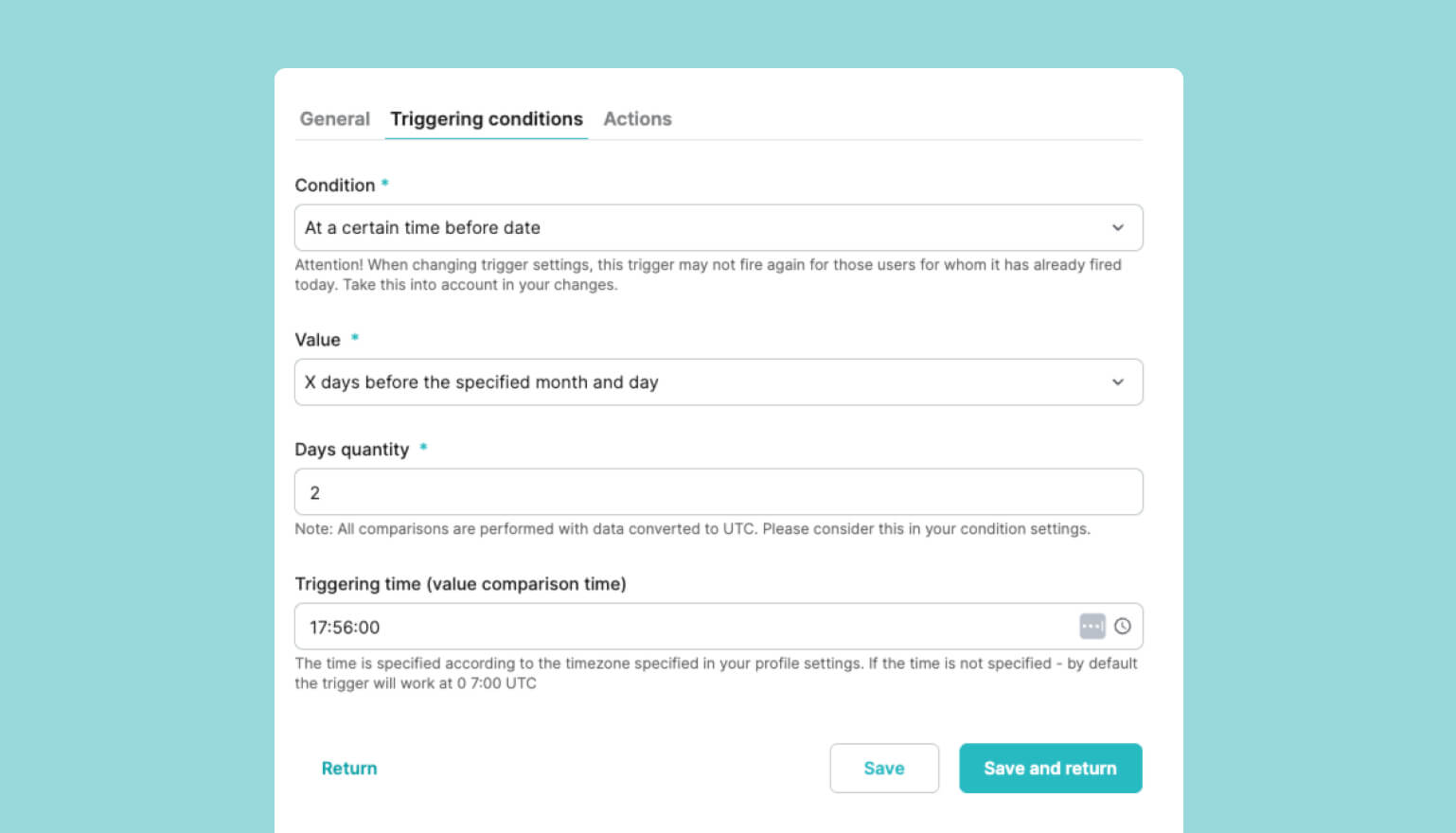
For example, this is useful for automatically sending birthday greetings to clients. You just need to create a trigger based on the date of birth property and set a condition, such as a few days before the date. In this case, the system will check clients’ data every year and automatically execute the desired action on the specified day, sending a message, special offer, or similar.
Another example is sending reminders about the end of a service or subscription. If a client has a property with the contract’s end date, you can set up a trigger to activate a few days before that date, automatically sending the client a reminder or a renewal offer.
In addition to notifications, triggers can also initiate other actions. For example, sending requests to external systems such as banking platforms or other integrated services. This functionality therefore provides even greater opportunities for process automation and for building more flexible business workflows.
Display of requests and notifications
In this release, we’ve significantly improved control over triggers and their associated actions. Now, all requests to external systems and system notifications can be filtered by trigger ID or by a specific action within the trigger.
Previously, the system only showed the number of times a trigger had fired, without any details. With the update, a full list of sent requests and notifications is now available: from the trigger view, you can access all its executions and see exactly which actions were performed.
This is especially important for scenarios involving multiple sequential or parallel actions. For example, after a sale, an email may be sent automatically, a request is made to an external system, and delayed notifications are triggered after a set period.
Improved tables and widgets
Displaying all form fields in requests
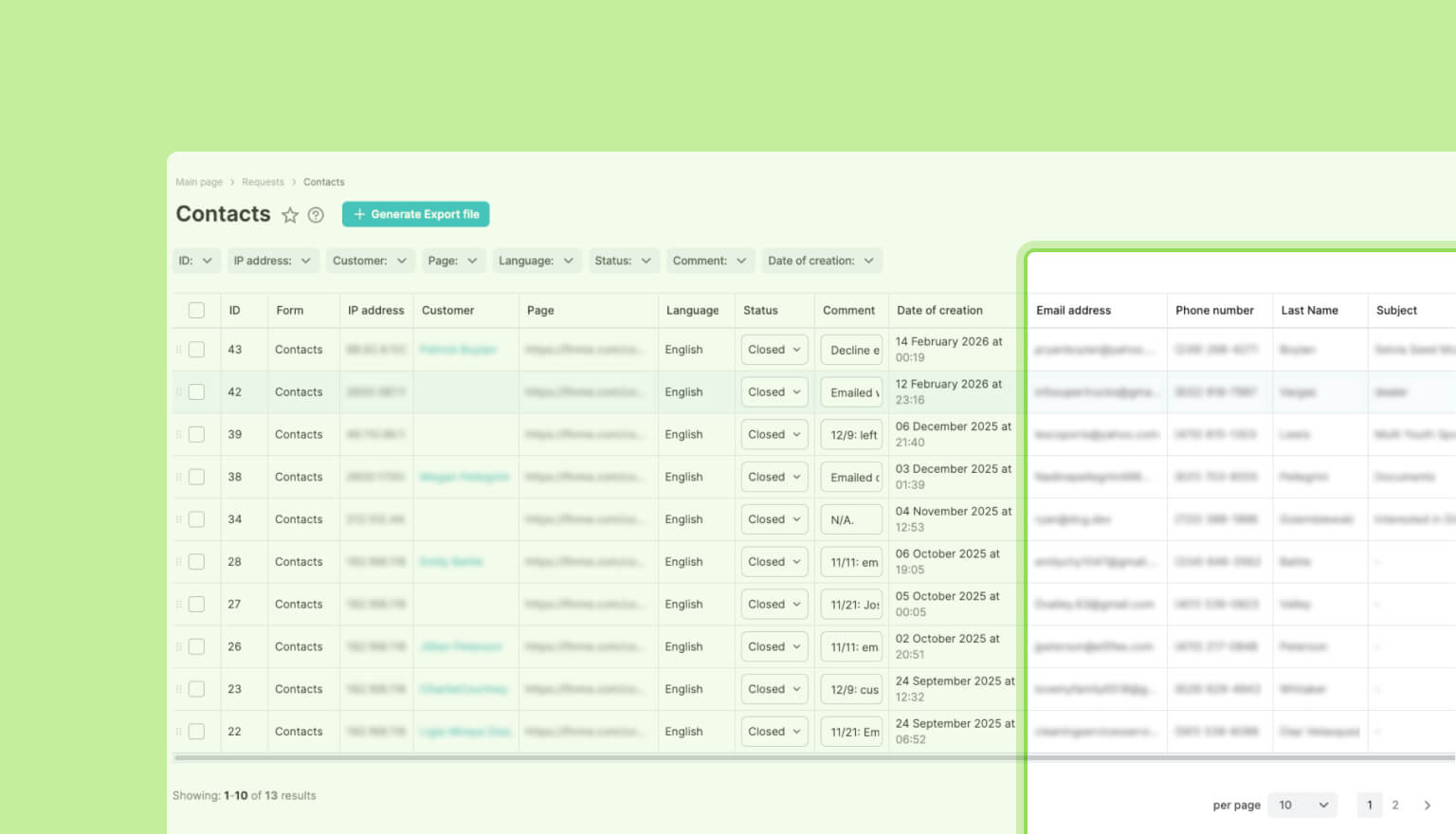
In the latest release of our low-code platform, we’ve improved the way tables and widgets work. The updates affect how forms are handled within tables and requests. Previously, only general system fields like date, user, page, IP address, and language were displayed. Now, you can add any field from a specific form, even those filled out by users.
This lets you view the contents of requests at a glance without opening each record individually, quickly analyze responses, and work more efficiently with information. This approach makes tables and requests more flexible, reducing the need for manual steps when handling forms.
Static properties in table widgets
We’ve added static properties to table-type widgets. Tables now display the creation and modification dates of records, making it easier to navigate the data and quickly sort or track changes. This small but important improvement makes working with table widgets even more convenient and informative.
Comparison with the previous period on charts
Our clients often compare current-period metrics with the previous period to assess trends. In Spiro 2.30, this process has become much easier: when creating a chart for any period, you can now add the same data from the corresponding previous period with a single click.
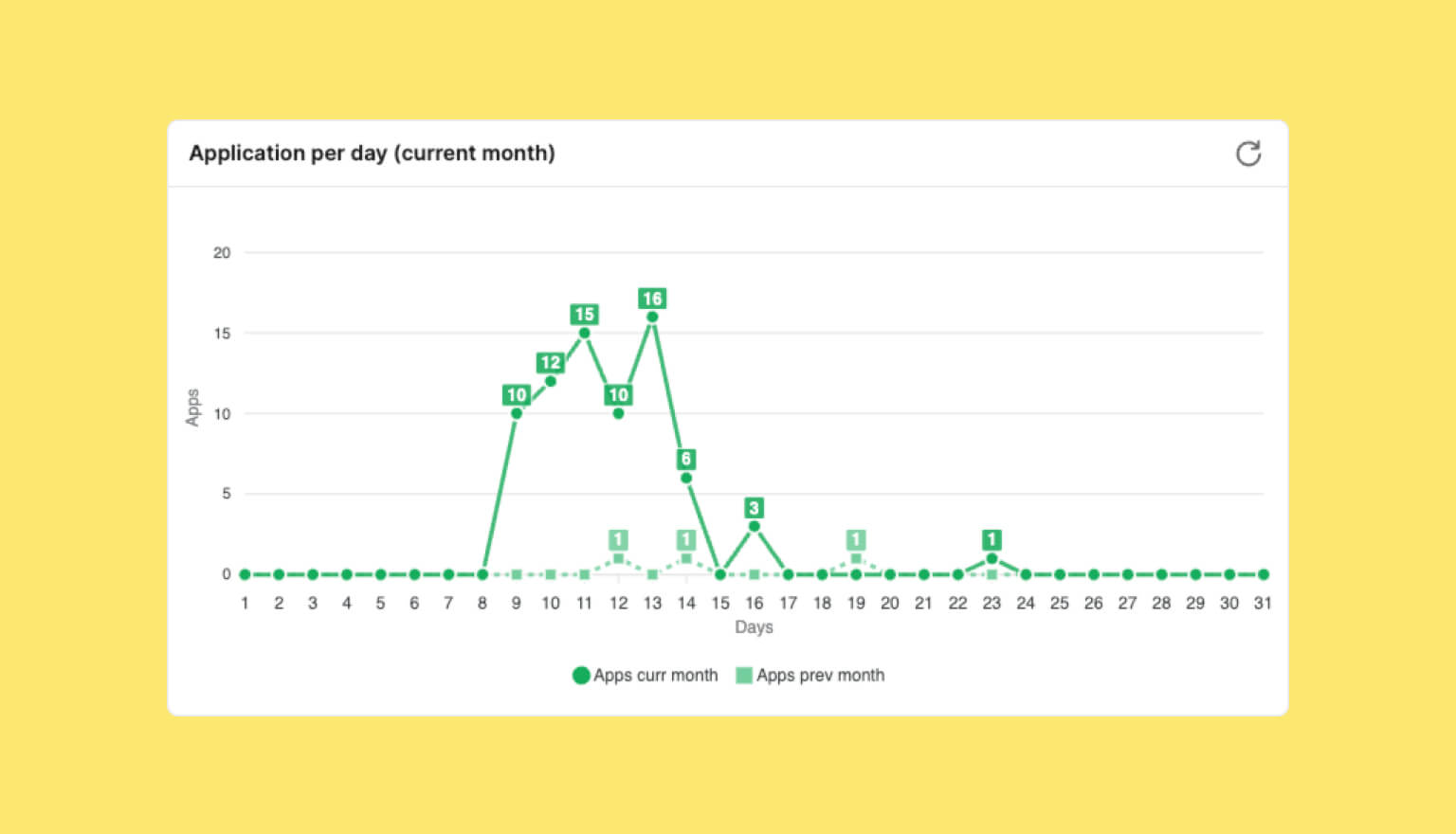
This allows you to quickly assess trends and compare metrics without the need to create additional charts manually. Such visualization makes analysis more intuitive and supports data-driven decision-making.
Inventory management
In Spiro 2.30, we added flexible settings for tracking units of measure and quantities for inventory items. You can now disable these fields when they’re not needed, for example, for items with unique identifiers, serial numbers, or VIN codes.
The system automatically treats each item as a single unit, ensuring accurate inventory tracking. If you later need to enable quantity tracking, simply turn on the option, and each item will automatically be assigned a quantity of 1. This makes managing unique items much simpler while maintaining precise accounting, as the inventory logic can be flexibly adjusted to different business scenarios.
New document template features
We’ve enhanced Spiro’s document automation functionality by adding row numbering in tables. You can now set the starting number (including negative values) and define the increment for each new row.
This is especially useful when creating delivery notes, invoices, work completion certificates, and other table-based documents that require sequential numbering. Additionally, you can set up multiple independent numbering sequences within a single table, allowing for flexible document structuring.
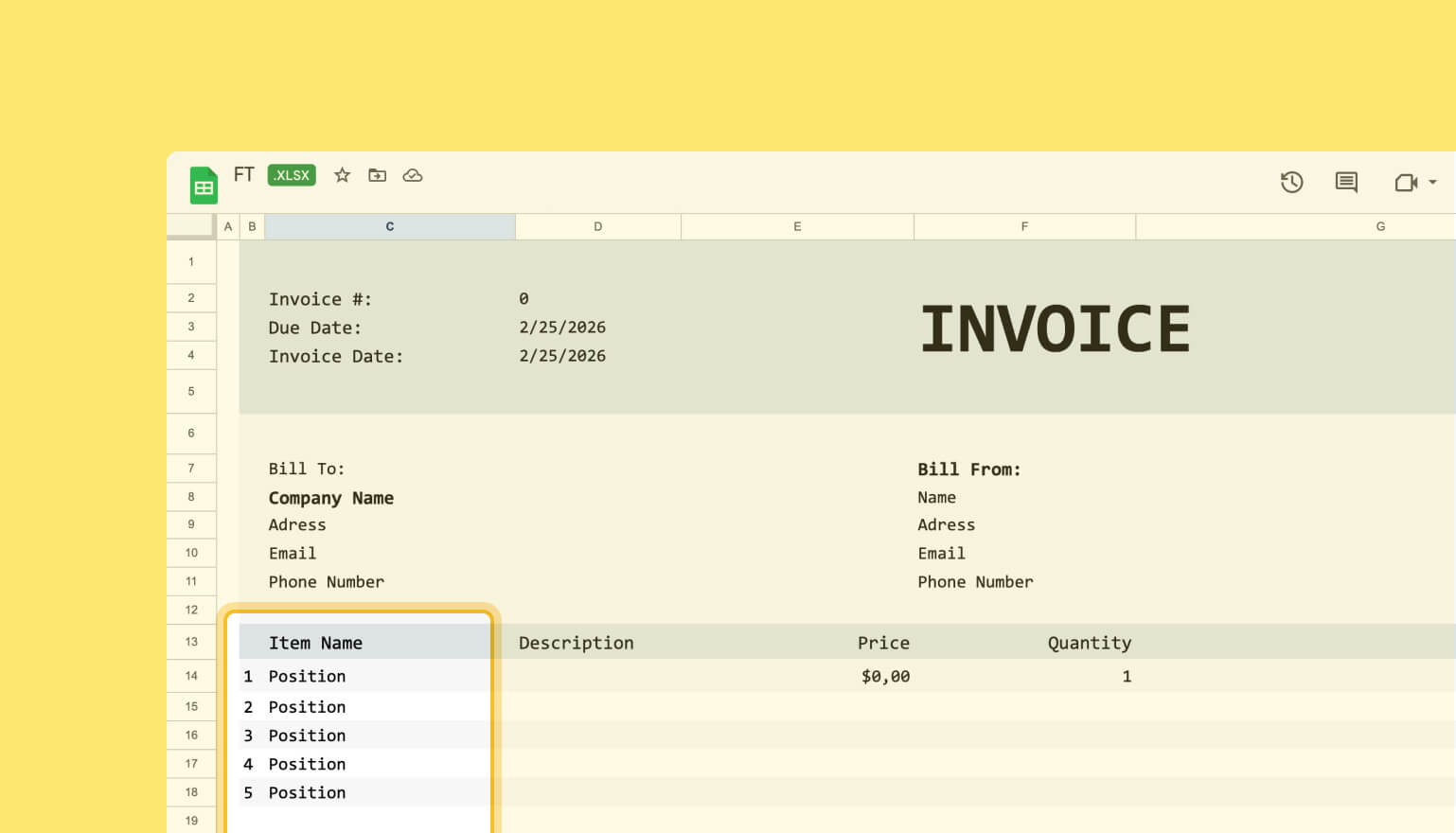
Additionally, Spiro now supports variable formatting in document templates. You can apply multiple modifiers to each variable simultaneously, allowing for flexible display of values in different contexts. For example, showing numbers in various languages or in a specific text format.
Improved mobile experience
Each year, more users access Spiro from mobile devices to quickly check requests and updates or monitor ongoing processes. That’s why, in this release, we’ve significantly enhanced the system’s mobile version. In addition, we implemented a range of interface improvements, including tables, forms, and tabs, to increase stability and make working on any screen more convenient.
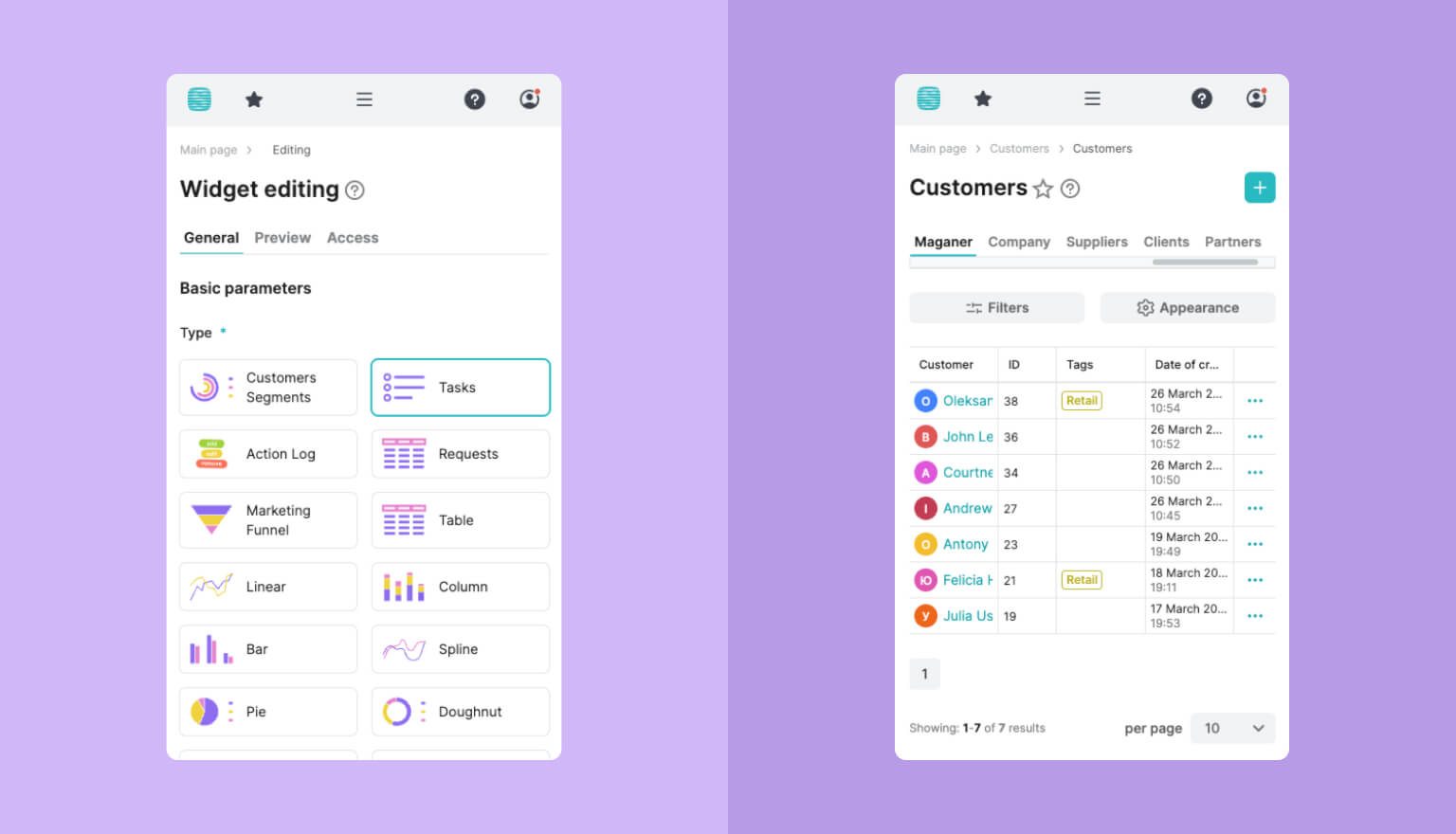
So, with the 2.30 release, the platform has become even more flexible, as these updates streamline processes and make actions within the system easier to manage. If you’d like to learn more about the new features, leave your contact information in the form. Our manager will get in touch and show you how Spiro can benefit your business.


Bring your ideas to life with FreshTech
Hi! I'm Max Rybalko, Head of Business Solutions. Choose a convenient time, and we'll discuss how to turn your project
into reality