


Zvitify: CMMS for Service Organizations
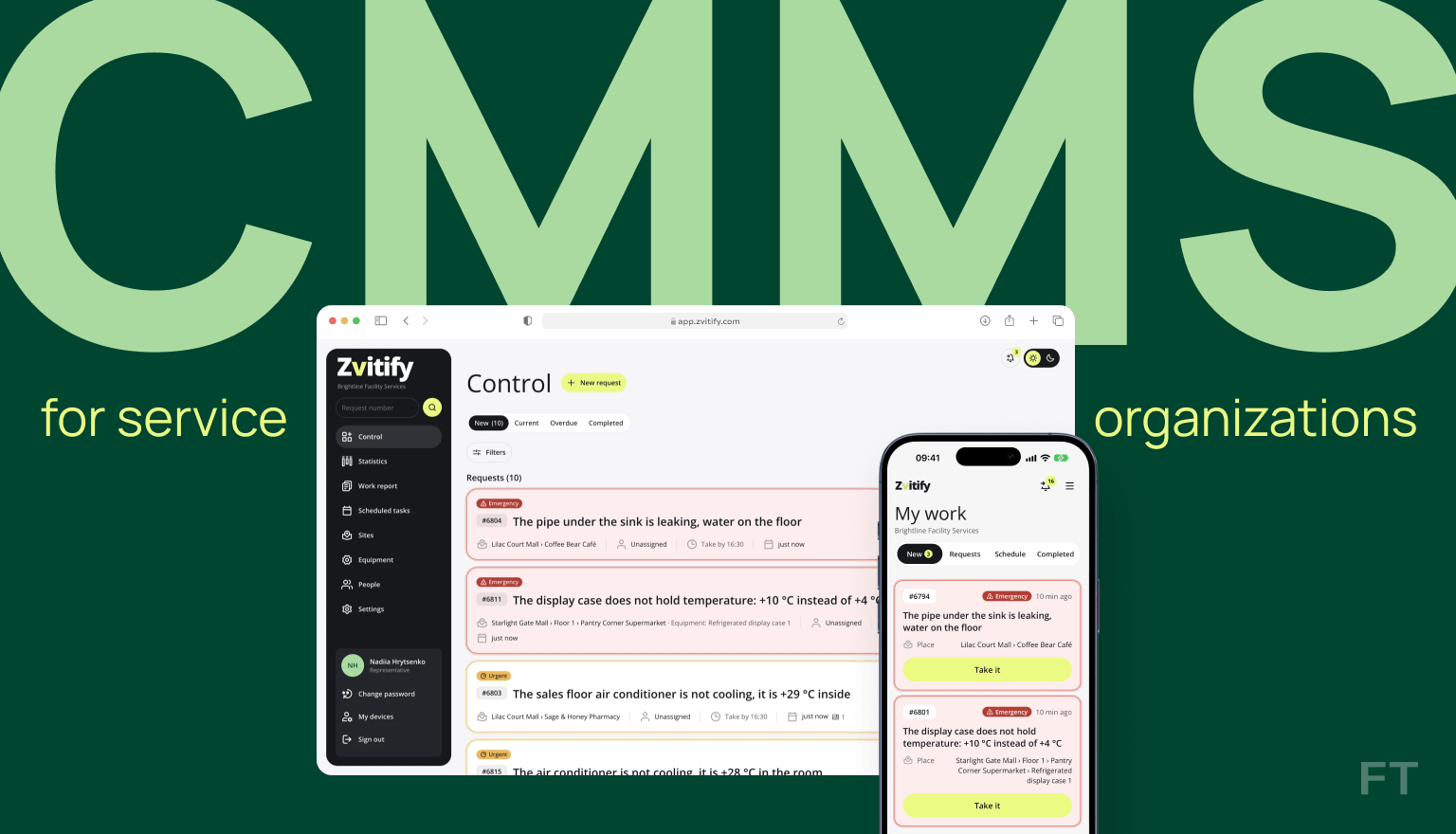
How can a service organization keep control of every request, from the client’s inquiry to closure? To do this, every stage has to be recorded: from determining urgency to confirming the result. When there are many sites and requests, it is hard to do this manually. Read on to see how Zvitify solves these tasks and what results businesses get.
For a service organization, a fast response to requests and the ability to confirm completed work to the client are important. Requests come from many customers through different channels: by phone, through messaging apps, and by email. So details have to be clarified, the order of visits is often decided manually, and emergency requests may be hard to distinguish from regular ones. Without systematic record-keeping, equipment history is known only to individual specialists. A technician has no information about previous repairs, which can lead to repeat visits, and when staff change, knowledge about the sites is lost.
Effective work requires a single system that shows the status, priority, and deadlines of every request. A technician needs access to equipment history directly on site, and the result of every job must be recorded and confirmed by the customer. This makes service processes manageable at every service site.
What is Zvitify?
Zvitify is a CMMS for service organizations. It is used to manage maintenance and repair requests and the work of technicians. The system has three roles: customer, technician, and service organization representative.
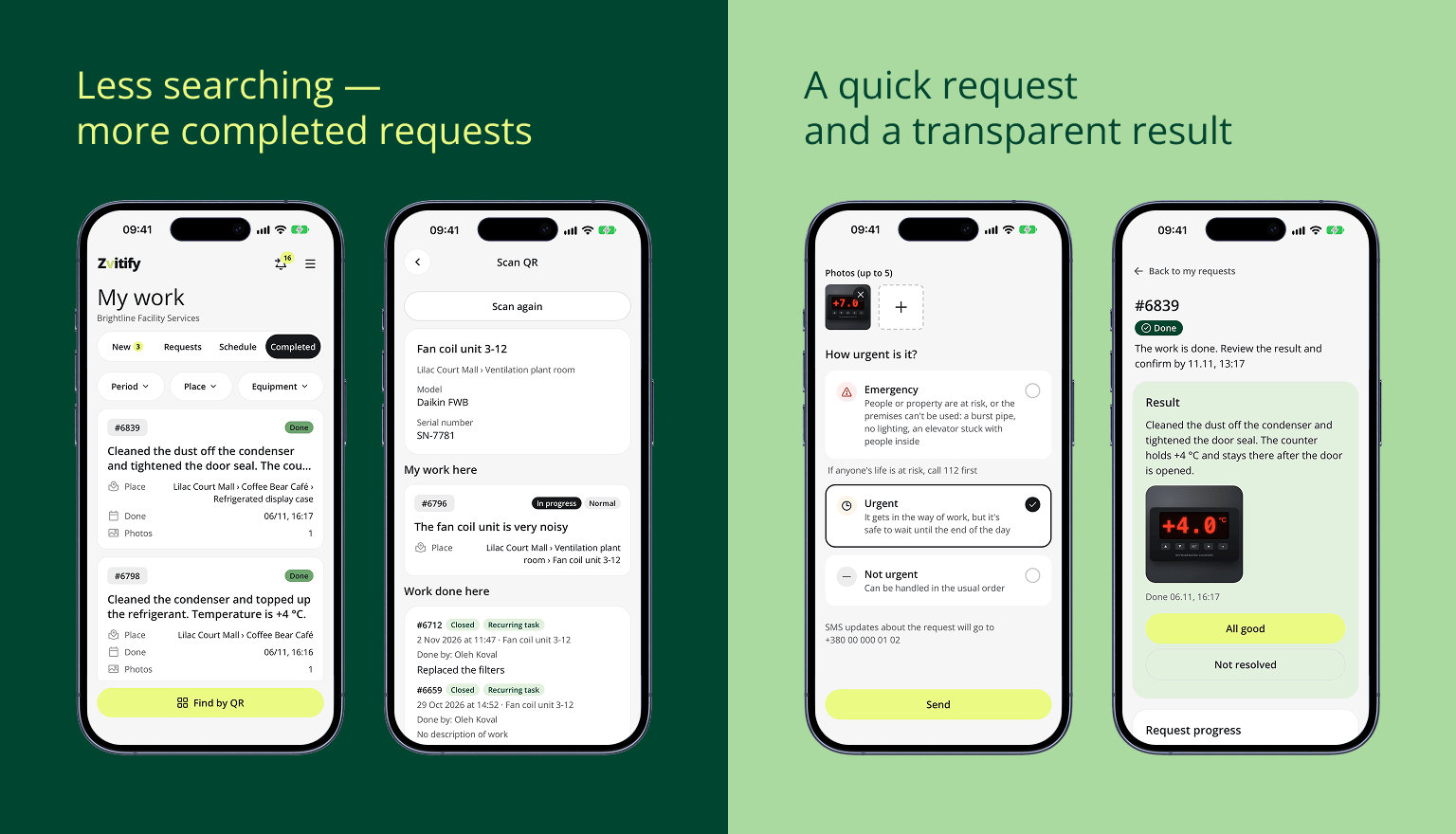
How Zvitify works: a customer submits a request, specifying the premises and urgency, and a representative assigns a technician. On site, the technician scans the equipment’s QR code, reviews the work history, completes the checklist, and adds a photo of the result. The customer confirms completion or sends the request back.
Zvitify capabilities for business
Zvitify is a good fit for industries where sites and equipment require regular maintenance, requests come from different customers, and completed work has to be documented. These include HVAC, elevators, fire safety and other building engineering systems, shopping and business centers, retail and HoReCa, industrial maintenance, gas stations, car washes, and cleaning companies.
Each of the three roles in the system has its own set of capabilities 👇
Customer
A customer or tenant submits a request from their phone: they select the premises or scan the QR code on the equipment, and the location and equipment are identified automatically. They also add a photo and set the urgency using examples of emergencies, which makes it possible to tell emergency requests from regular ones. The request card shows the status, the technician, and a photo of the completed work, and it is the customer who confirms the result or sends the request back.
Technician
In the mobile app, a technician sees new offers and requests in progress in separate lists, and once one technician takes a request, it disappears for the others. Information about all equipment is collected in a single catalog. Scanning the QR code on the equipment opens its card with the model, location, and work history, so it is clear what has already been repaired. A request can be closed only after the checklist is completed and a result photo is added. The app also works offline, and data is sent as soon as a connection becomes available.
Service representative
In the web cabinet, the service representative sees new, active, overdue, and emergency requests on one screen, and the reason a request is overdue is shown in the list. Requests are subject to response times (SLA): the timers take the working schedule into account and run around the clock for emergency requests. If a technician does not accept a request in time, it is automatically returned for reassignment, and the technicians attached to the site are suggested for the assignment.
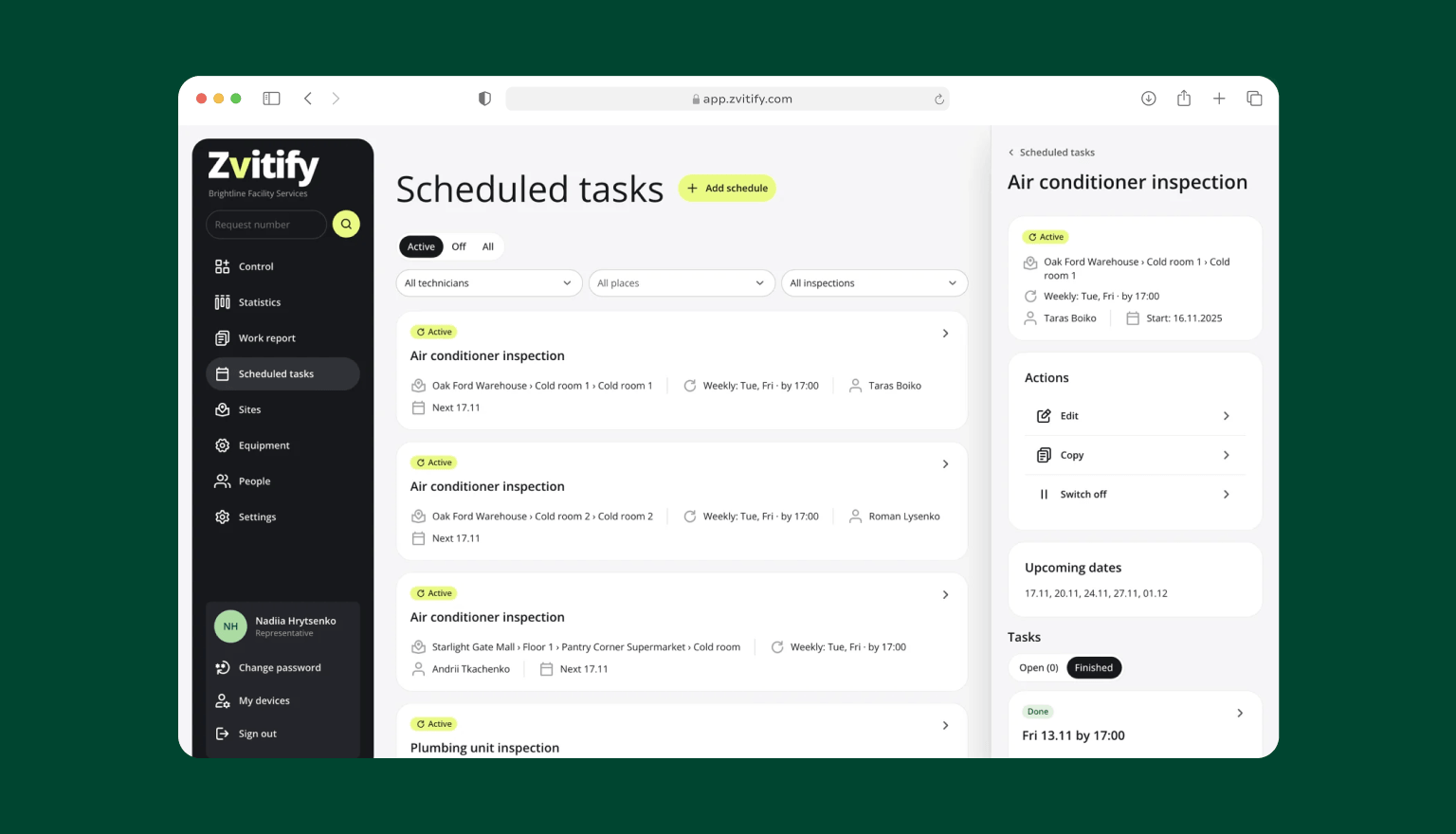
Planned maintenance runs on a schedule: for each inspection, the frequency, deadline, and responsible technician are set, and overdue inspections are flagged automatically. Templates contain standard values and mandatory and critical items. If a value falls outside the norm, the technician’s comment is automatically added to a repair request.
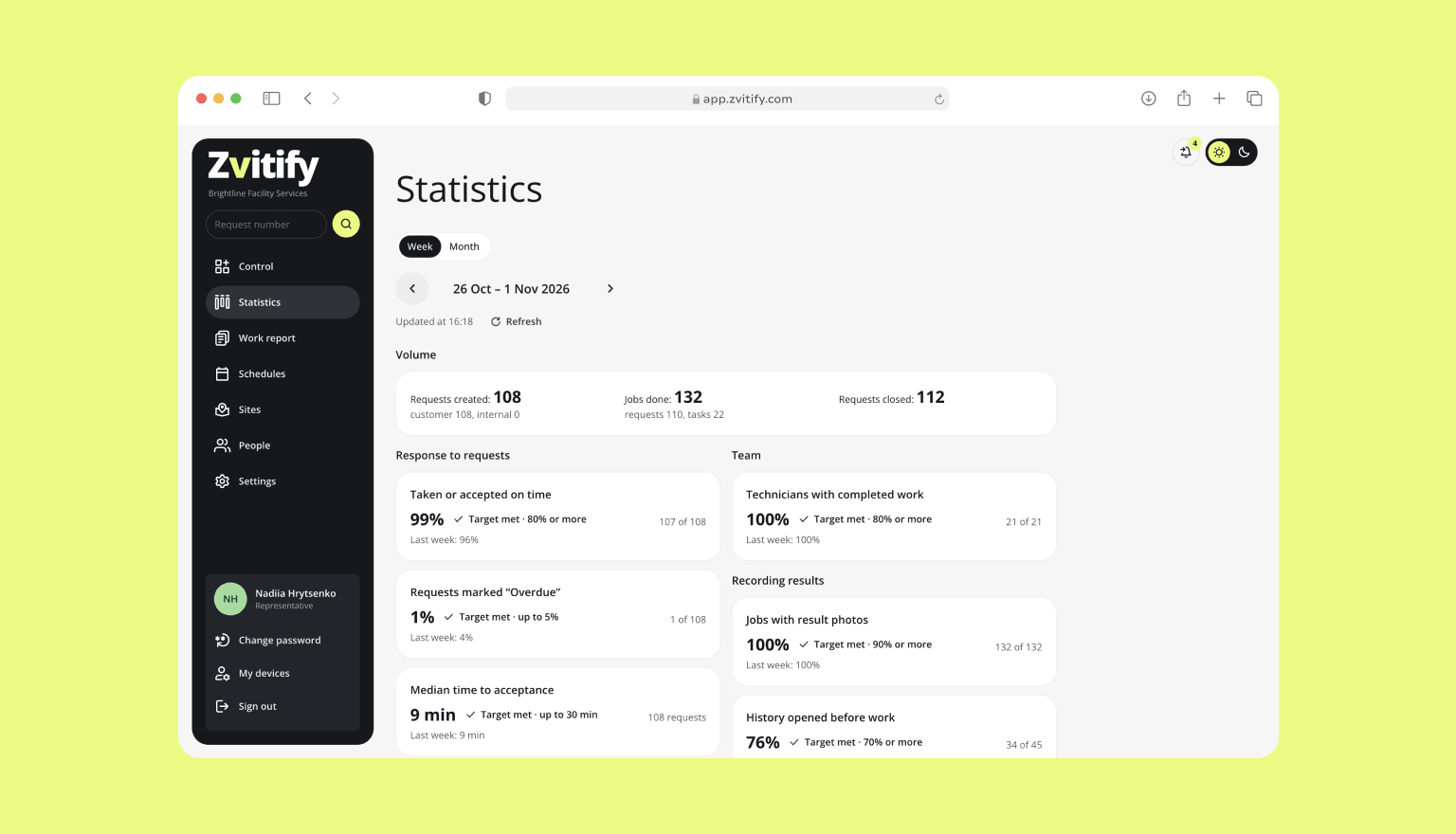
A report for the customer or site owner is generated for a selected period and location and shared via a link, and entries in the change log cannot be edited. The statistics show how promptly requests are accepted, the share of overdue and repeat requests, and requests closed without the representative’s involvement. A target is set for each indicator, and the data is compared with the previous period and broken down by technician, equipment, site, and customer.
What results do businesses get?
-
Confirmed results of completed work that can be shown to the client: what was done, by whom, and when
-
Less time spent on clarifications and reports: data about the request and equipment is available before the visit, and the report is built as the work is done
-
Overdue requests are visible at once, and a request that a technician has not accepted in time is automatically returned for reassignment
-
Knowledge about the equipment stays within the company, and new technicians have access to the equipment history from day one
-
Planned maintenance on a schedule and against norms, and deviations from the norm automatically create repair requests
-
Performance indicators are compared with targets and the previous period, including by technician and by site
-
Scalability: the same process applies to new sites and clients
Would you like to see how Zvitify will work for your process? Leave your contact details, and we will get in touch to agree on a convenient time for an online meeting.
